

To check your balance through SMS, Rajasthan Marudhara Gramin Bank (now Rajasthan Gramin Bank) provides a missed call alert facility on 8750187504 for mobile numbers linked with the bank account.
After the merger into Rajasthan Gramin Bank, the missed call banking service continues for registered savings account customers.
| RMGB Service | Action |
|---|---|
| Balance Enquiry Number | Call 8750187504 |
| Technical Support | 0291-2593100 |
| Official Support Page | Open Support Page |
✅ How it Works: Give a missed call from your bank-linked mobile number. The call disconnects automatically, and balance SMS usually arrives within 30 seconds with the latest available balance and last 4 digits of your account.
💡 Not getting balance SMS? Your missed call banking service may not be activated yet.
Visit your home branch and submit a mobile banking or SMS alert activation request with your account number and registered mobile number. Service activation usually completes within 24 hours.
🎯 Expert Tip: Most customers today already use UPI apps like PhonePe, Google Pay, or BHIM. Once your mobile number is linked with the bank account, you can also check Rajasthan Gramin Bank balance instantly through UPI balance enquiry.
Some customers also use WhatsApp banking or mini statement services for quicker balance access without branch visits.
Next: Check below how to set up Rajasthan Gramin Bank WhatsApp banking, UPI balance enquiry, ATM mini statement, and mobile banking services.
What Are the Digital Alternatives to Check Balance Instantly?
1. RMGB WhatsApp Banking Number
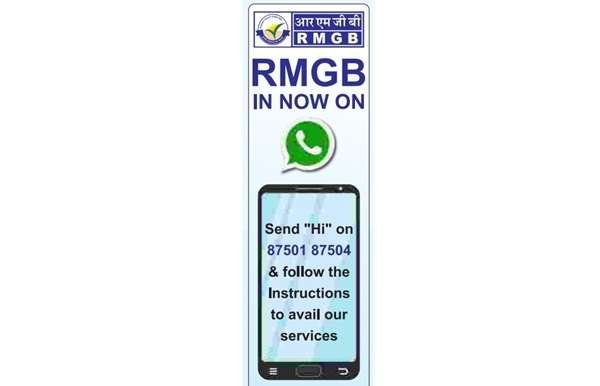
The bank officially launched a WhatsApp banking facility at 8750187504 for account holders. By using this method, you can access your balance and account statement PDFs. Furthermore, it offers other services, including loan and deposit interest inquiries.
Follow these steps to view your balance –
- First, save the RMGB WhatsApp Banking number in your mobile contacts.
- Now open WhatsApp and send “Hi” to the saved number.
- Select the language you are comfortable with.
- You will get an OTP on your bank registered mobile number. Enter it for verification.
- After successful registration, open the banking services menu.
- Tap on the Balance Enquiry option.
- Enter the last 4 digits of your bank account number.
- Done, your current account balance will be shown in the WhatsApp chat itself.
Tip: By using RMGB Whatsapp banking, you can also download a mini statement (The last five transactions of your account) and check account details like Customer ID and Branch location.
2. RGB Mobile Banking App
RMGB Mobile Banking is a convenient way to check your account balance instantly. The app has crossed 10 lakh+ downloads on the Google Play Store with a 4.1-star rating. Follow the steps below to view your current balance using the RMGB app.
Register via a Bank branch
- As always, you have to visit your home branch to submit an RMGB mobile banking facility application form to activate it.
- Visit your home branch and activate your SMS Alerts facility and mobile banking.
- It is all required for future transactions and balance enquiries.
Set Up the App
- Once it is activated, install the RGB Mobile Banking App using the Apple App Store or Play Store.
- Open the app and, on the login screen, select the option to register as a new user.
- Fill out details like Account number, mobile number, and Captcha to receive OTP.
- Enter the OTP to set a 6-digit MPIN.
Check Balance
- Reopen the RMGB app.
- Enter the MPIN.
- Tap on the eye button to view the balance.
Remember: Never share your MPIN, UPI PIN, passwords, or user ID with anyone, including RMGB Bank Staff.
3. UPI Apps (BHIM, Google Pay, PhonePe)
UPI apps are also a quick way to check your RMGB account balance. RMGB is listed as an NPCI UPI Live Member on its official website, making balance enquiry simple and instant. Follow the steps below:
- Install a UPI App – Choose from Google Pay, BHIM UPI, Phonepe, or any other UPI-supported app
- Link your account –
- Log in and navigate to the Add New Bank Account option.
- Find the name Rajasthan Marudhara Gramin Bank from the list of 250 banks.
- Verify with your mobile number, and fill out ATM details like CVV, Expiry, ATM PIN, and card number to activate.
- Log in and View balance –
- To complete the process, you have to enter the OTP and create a 4-digit UPI PIN.
- Now, open the app again and tap on the check balance button.
- Lastly, enter your UPI PIN and view the balance.
Latest RMGB Bank Merger News
As per the 1 State 1 RRB Policy on May 1, 2025, the Rajasthan Marudhara Gramin Bank and Baroda Rajasthan Kshetriya Gramin Bank merged and got a new name, Rajasthan Gramin Bank and It is sponsored by State Bank of India.
The bank was created on 1 April 2014 after the merger of two older Gramin banks in Rajasthan, Marudhara Gramin Bank and Mewar Aanchalik Gramin Bank.
If you had a deposit account with either of the merged banks, you can still check your balance using any of RMGB’s new services.
After the merger, the bank expanded to 718 branches in 26 districts and added digital banking services. this may impact change in balance enquiry numbers and SMS services.
Frequently Asked Questions
How to check my Baroda Rajasthan Kshetriya Gramin Bank (BRKGB) balance?
After the 1 May 2025 merger, Rajasthan Gramin Bank offers balance enquiry by giving a missed call to 8750187504 from your registered mobile number. You’ll get an SMS with your current balance.
Can I check my RMGB bank balance if I lost my registered mobile number?
No, after the 1 May 2025 merger into Rajasthan Gramin Bank, all digital balance services need your registered mobile number. You must update it at your branch to regain access.
My RMGB missed call banking is not working after 1 May 2025.
As of now, there is no official announcement from the bank for this missed banking services change; however, you can visit your home branch and ask for the latest missed call facility option.
Hope you liked the content. Explore smart options below 👇
🔥 Recommended