

Sindhudurg DCC Bank customers can check their account balance instantly by giving a missed call to 9212443824 from their bank-linked mobile number.
The call disconnects automatically, and the balance SMS is normally received within a few seconds on any mobile phone.
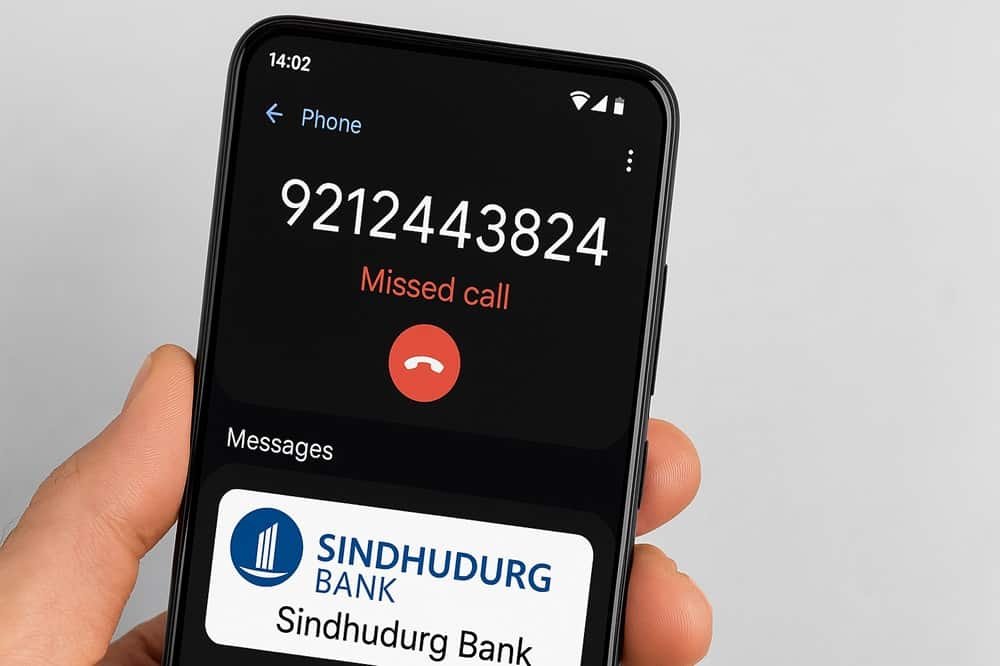
This service mainly works for savings accounts with active SMS banking registration.
| Service | Action |
|---|---|
| Balance Enquiry Number | Call 9212443824 |
| SMS Banking Registration Form | Download Registration Form |
| Works For | Savings Accounts |
✅ Quick Info: Balance SMS usually shows the available account balance along with the last 4 digits of your account number.
Sometimes server maintenance or heavy banking traffic may delay SMS delivery.
💡 Important: Missed call banking works only after SMS banking activation from your home branch.
If SMS is not received even after multiple attempts, confirm that your registered mobile number and SMS alert services are active in bank records.
🎯 Expert Tip: Many customers also activate Sindhudurg Mobile Banking for mini statement access, balance enquiry, and fund transfer services directly from mobile.
The setup process and other digital banking methods are explained below.
Next: Check below how to activate Sindhudurg Mobile Banking and other balance enquiry methods.
1. Sindhudurg Mobile Banking App
In 2023, Sindhudurg DCC Bank launched its official mobile banking app as part of its second phase of digital banking. The app helps you manage your account right from your phone.
The app supports mostly digital features, such as –
- View account balance instantly
- Download mini statements
- Transfer funds securely
- Raise service requests
How to Register:
- Download “Sindhudurg Mobile App” from the Play Store for Android. iPhone users can install the same app from the Apple App Store.
- Open the App and tap on Send SMS to verify your SIM and mobile number.
- Enter your mobile number, Account number, DOB, and Branch token and tap on send OTP.
- Enter OTP and verify
- Set a 4-digit MPIN to log in.
- Now, once again, open the app, enter your 4-digit mpin and view your available balance on the dashboard of the app.
Notes:
- The app works only with an active registered mobile number.
- Update the app regularly for smooth performance.
- If OTP fails, try placing your SIM in SIM Slot 1.
2. ATM Using RuPay Debit Card
Sindhudurg Bank offers a RuPay Contactless debit card just Once your KYC is completed, you can apply for it.
You can get your Sindhudurg DCC Bank savings or current account balance at any ATM in India that accepts RuPay Cards, thanks to the NFS network.
Steps to Follow:
- Visit any nearby ATM (from any bank) or visit your bank branch’s attached ATM machine.
- Insert your Sindhudurg DCC RuPay card
- Choose language (English, hindi, Marathi, and more)
- Enter 4-digit ATM PIN
- Select your account type (savings or Current)
- Tap on the “Balance Enquiry” button to view the balance.
- You can print it out for future reference. (optional)
Use This Tool:
Use the official RuPay ATM Locator tool online to find the nearest ATM in rural areas.
My Tips:
- Avoid checking your balance and withdrawing cash repeatedly to prevent ATM charges.
- If your card is expired or blocked, replace it at the branch.
- Always cover the keypad while entering your PIN.
3. Monthly Email Statement
The Sindhudurg Bank continuously adds new digital options for its clients, including a monthly e-statement to your provided Email ID when you open the account with the bank. Mostly, people avoid email ID options, but experts say it’s good to create your own email ID for banking purposes.
How to Register your Email statement with Sindhudurg Bank:
- Once you have created your email account via Gmail, Hotmail, Bing, or other services. Write it down.
- Visit your home branch
- Ask and fill out the email registration form with your new Email ID. (only email, not password, keep in mind)
- Make sure your correct email ID is updated
What You Get:
- Monthly email with complete transaction details and balance
- Option to save, print, or share a PDF file
Tips:
- The physical statement will stop after email activation.
- Mark the bank email as ‘safe’ so it doesn’t go to spam.
4. Use UPI Apps (PhonePe, Google Pay, Paytm)
As per the official website of NPCI, the Sindhudurg DCC Bank is also listed as a UPI Live Member, so if you use PhonePe or any UPI app, you can check your balance without visiting the bank or ATM. It is much easier for you, follow the steps –
- Open the PhonePe app and unlock it.
- First, tap your profile photo (left side corner) > Manage Payments option and select Manage Bank accounts.
- Tap “Add New Bank Account”
- Scroll down or directly search for “Sindhudurg District Central Co-Operative Bank Ltd”
- Enter your ATM/Debit card details such as the card’s last 6 digits, expiry date, CVV, and ATM PIN.
- Tap on send OTP, enter your 6-digit otp received on your bank-linked mobile. Set a 6-digit UPI PIN (it is required for checking balance and transactions)
- Now, open the app home again, tap on check balance, and select bank, enter your just created UPI and view your balance directly.
What You Need:
- A working RuPay debit card (must take a photo in your phone gallery privately)
- Registered mobile number in the SIM slot
- Basic internet and SMS services on your phone
Smart Tips:
- Don’t use UPI on public/shared phones.
- If the bank name isn’t showing, type the full name slowly.
- Keep your UPI PIN safe; never share it.
5. Sindhudurg DCC Bank Customer Care
If the above methods do not work for you, you can get help from the bank support team. You can call their latest toll-free numbers to ask balance.
How to Get Help:
- Call official numbers:
- Or email: ho@sindhudurgdcc.com
Important Safety Tips:
- First and most important, before dialling the number, verify the number from the official website.
- Also, never share your OTP, UPI PIN, ATM PIN, or passwords over the call or SMS.
- Bank staff will never ask for confidential information.
6. Visit the Branch
This is still one of the most reliable methods for rural users.
- Update Your passbook to get balance.
- Register your mobile number for missed call banking
- Link your email ID for e-statements
- Update the passbook for balance and transactions
- Replace lost or expired ATM cards
Read – All Banks Missed call balance enquiry
Frequently Asked Questions
Is there any SMS banking in Sindhudurg DCC Bank?
Yes! If you linked your mobile number with the bank account, every time you do a transaction or receive money, you will get balance information with the current available balance in your savings or current account.
Why is my Sindhudurg missed call balance not working?
If you don’t receive an SMS, it’s usually because your mobile number is not linked to your account, your SIM has no active recharge, or the bank server is temporarily busy. Try again after some time or confirm your number at the branch.
Can I check balance without a registered mobile number?
No, missed call and UPI balance services require a registered mobile number. Without it, you’ll need to use an ATM, mobile app (after registration), or visit the branch.
Why am I getting balance of multiple accounts in one SMS?
If multiple savings accounts are linked to the same mobile number, the bank sends balance details of all accounts together in one message.
Is Sindhudurg balance enquiry available 24/7?
Yes, missed call banking and UPI balance enquiry work 24/7, but SMS or app delays may happen during server maintenance or network issues.
Hope you liked the content. Explore smart options below 👇
🔥 Recommended