

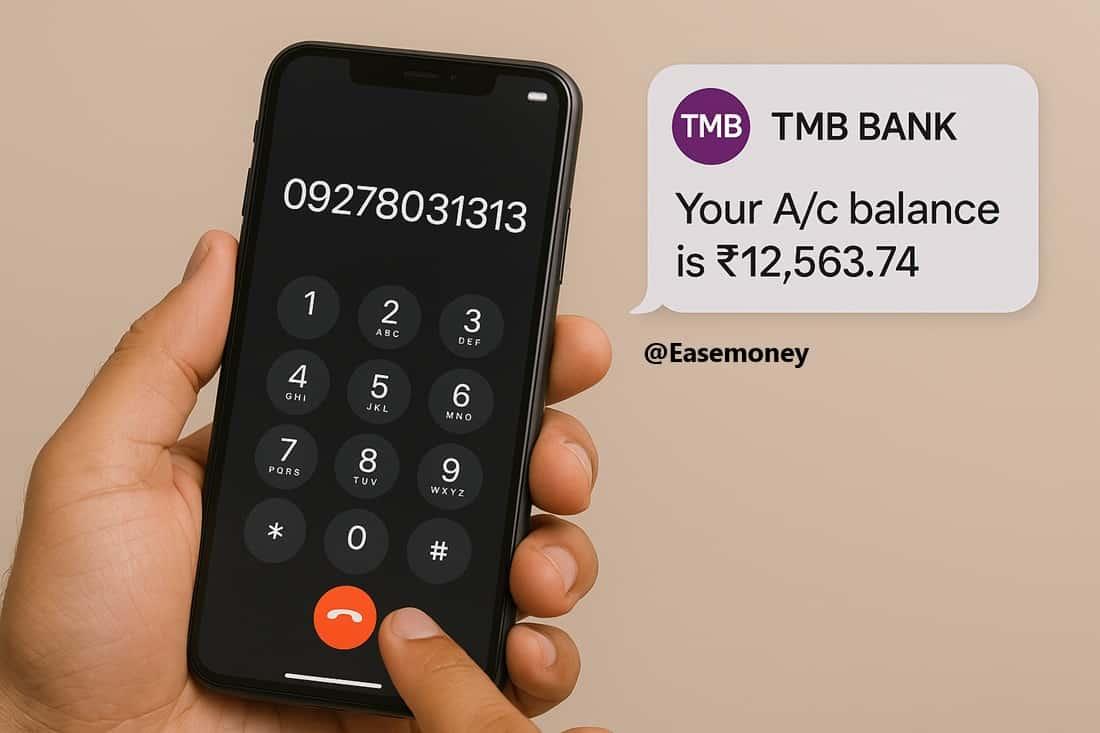
Telangana Grameena Bank (TGB) customers can instantly check their account balance by giving a missed call to 09278031313 from their registered mobile number.
The call disconnects automatically, and the balance SMS is usually received within a few seconds to a few minutes.
| Feature | Information |
|---|---|
| Service Timing | Available 24×7 including holidays |
| Required Device | Any mobile phone |
| Balance SMS Time | Usually within 1 minute |
| Supported Accounts | Linked savings and current accounts |
📌 How It Works
- Dial 09278031313 from your bank-linked mobile number
- The call disconnects automatically after a few rings
- You receive an SMS showing:
- Available account balance
- Last 4 digits of account number
- Multiple balances if several accounts are linked
📄 First-Time Activation: Customers may need to activate SMS or missed call banking from their home branch before using the service.
👉 Download TGB Registration Form
💡 Expert Tip: After updating your mobile number in bank records, wait around 24 hours before using missed call banking. Banking servers sometimes take time to sync the updated number.
📶 Alternative Option: The same number also supports TGB WhatsApp Banking for balance enquiry and banking support.
Many users find WhatsApp banking more reliable during network or server delays.
⚠️ Not receiving SMS replies? Confirm that your mobile number is properly linked with your bank account and SMS services are active.
Next: Check below how to activate TGB WhatsApp Banking and mobile banking for instant balance enquiry.
1. Telangana Grameena Bank WhatsApp Banking
WhatsApp Banking is one of the fastest way to check balance. Telangana Grameena Bank officially launched this service on 27 February 2024, which was also confirmed through the bank’s official Facebook post.
How to use WhatsApp Banking:
- Save this number: 09278031313
- Open WhatsApp and send Hi
- Enter the OTP you received on your phone
- Select your language (English or Telugu)
- Tap View > Account Services
- Enter the last 4 digits of your account number
- Tap Balance Enquiry to see your current balance. Also, you can get a mini-statement here.
Tips:
- Make sure your WhatsApp number is the same as the one linked to your TGB account to receive replies and verify your account with the bank.
- It allows all types of customers to use basic services like balance enquiry, mini statement, and more, all through a familiar app.
- No need to install any extra app—WhatsApp is enough
Note: This service works at any time of day and is very user-friendly.
2. TGB Mobile Banking App
This TGB Bank is way more digital than a top bank all over india. You can also use their TGB mBanking App. it is available for Android users and iPhone users and provides access to balance info, transactions, mini statements, and more.
Steps to use the TGB App:
- First, you have to download TGB mBanking from the Google Play Store or the Apple App Store.
- Now, open the app, select your language, and tap on Let’s go.
- Here, tap on verify my SIM, select your SIM, and send a text SMS to find your account that is linked to your phone number.
- Enter Account number, CIF Number, and DOB.
- Verify via OTP
- Set your 6-digit login PIN and transaction PIN.
- Log in using your PIN and tap on the eye button to view the available balance in your account number.
Note: If first-time registration is not working, visit your home branch and activate mobile banking to set your MPIN and log in. For technical app issues, file a complaint through the bank’s official website.
3. UPI Apps (BHIM, Google Pay, Paytm)
According to the NPCI and TGB official websites, they are actively operating in UPI Banking. So, you don’t need to visit the branch for any activation; however, you only need your ATM Card, Smartphone and UPI-based app. Follow the steps to view your balance –
- Open your UPI app (PhonePe, Paytm, Google Pay, etc.)
- If using first time, enter your mobile number and OTP to log in.
- Go to Bank Account Settings and search or scroll down to find Telangana Grameena Bank.
- Here, your ATM card is required. Simply, type your last 6 digits of your card number, expiry, CVV, and ATM PIN. (Also, you can use your Aadhaar card to verify it.)
- Enter your received 6-digit OTP SMS, and set your UPI PIN
- Back to the home of the app, select Check Balance, enter UPI PIN to view your balance
Few Tips:
- Make sure your SIM is in the phone while verifying and setting up your UPI PIN.
- You must have a valid ATM/Debit card or aadhar card details to use this feature
4. TGB Internet Banking
If you’re comfortable using a browser, Internet Banking is a full-service option.
How to register:
- Visit your home branch and fill out an Internet Banking registration form
- After activation, you will receive a starter kit with a User ID and a temporary Password just for login and start.
How to log in and check the balance:
- First, visit the official website here – tgbhyd.in
- Click on Net Banking in the header menu.
- Enter your User ID and temporary password
- Set your new password on your first login
- Go to Account Summary and select your account to see the balance
Tips:
- Use a personal device and strong passwords
- Never access net banking from a cyber café or shared computer
Note: Your CIF number (Customer ID) is required—it’s printed on your passbook.
5. No Internet? Try These TGB Balance Check Methods
(A). Use the ATM or the Passbook Machine
If you’re near a branch or ATM, use your TGB RUPAY Debit Card to check your balance.
Steps:
- Insert the card in any ATM (TGB or other RUPAY-enabled ATMs)
- Select Balance Enquiry
- Enter your 4-digit PIN
- Your balance will be shown and printed if you choose
Alternatively, you can update your passbook at a passbook printing machine in the branch.
Note: This is a good offline option for those who prefer physical records.
(B). Call Customer Care or Visit a Branch
If you’re still unable to track your account balance in TGB or need help updating your mobile number, and a technical error report:
- Customer Care Number : 99977 79901.
- Visit your home branch with your passbook and ID.
Note: If your Passbook is stolen, lost, or your account is inactive, please ask bank staff to activate it and issue a new passbook. The staff will ask you to fill form to verify your KYC in the system.
How 1 RRB on 1 State Policy Changed Telangana Grameena Bank
- As per the Hindu BusinessLine press release, the Telangana-based branches of Andhra Pradesh Grameena Vikas Bank (APGVB) were merged into TGB on 1 January 2015.
- Today, the bank operates 934 branches and bank touching more than 39 million customer base across the state.
Frequently Asked Questions
Why is TGB missed call banking still popular in rural Telangana?
Because it works without internet or smartphones. Farmers and senior citizens prefer it. One missed call gives balance via SMS within seconds, even on basic keypad phones.
Why do some customers not receive balance SMS after a missed call?
Most cases involve unregistered or recently changed mobile numbers. Sometimes server delays happen. Tip: wait 24 hours after registration and retry during non-peak hours like mornings.
Is WhatsApp banking safer than calling or SMS balance enquiry?
Yes, when used from the registered mobile number only. It uses OTP verification and shows limited details. Never forward OTPs or click links outside the official WhatsApp flow.
Why does TGB mobile banking registration fail for first-time users?
Usually, because mobile banking isn’t activated at the branch. App setup works only after backend approval. One branch visit can save hours of repeated OTP or SIM errors.
What mistake causes most TGB balance enquiry issues long-term?
Ignoring mobile number updates. Even SIM replacement breaks SMS, WhatsApp, and UPI services. Always update your number at branch immediately after changing SIM.
What is the best balance-check method if my phone has no network?
Use an ATM or passbook printing machine. These work fully offline and give instant balance. Many branches still encourage passbooks for record clarity and dispute safety.
Hope you liked the content. Explore smart options below 👇
🔥 Recommended