

UP Gramin Bank’s primary missed call balance enquiry number is 9986454440. Give a missed call from your registered mobile number to receive your account balance instantly through SMS.
The service works on both smartphones and keypad phones with active SMS service enabled.
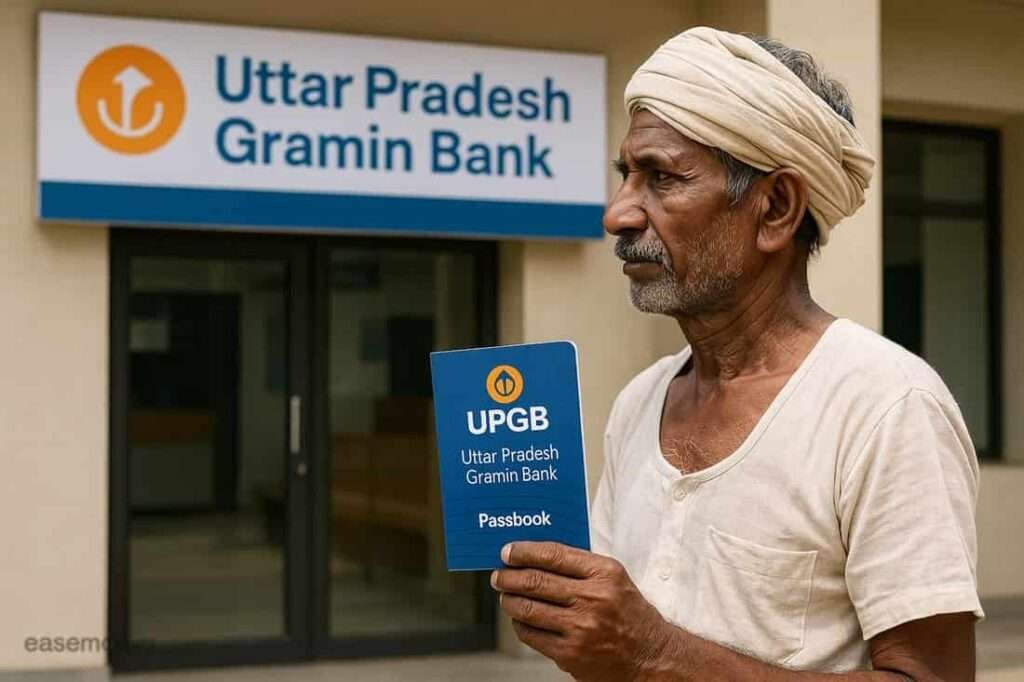
Since Uttar Pradesh Gramin Bank was formed after multiple rural bank mergers, some legacy missed call numbers may still work for older account holders.
| Bank Name | Missed Call Number |
|---|---|
| UPGB / Baroda UP Bank | 9986454440 |
| Aryavart Bank | 8010924194 |
| Prathama UP Gramin Bank | 1800-202-3003 |
✅ What You Receive After the Missed Call:
- Last 4 digits of your account number
- Current available balance
- Balances of multiple linked accounts if available
Older merged bank accounts may sometimes respond better through legacy missed call numbers.
💡 Important: Missed call banking works only when your mobile number is linked with the bank account and SMS alert service is active.
If balance SMS is delayed, wait some time and try again. Temporary server delays are common in rural banking systems during peak hours.
🎙️ UPGB Digital Banking Tip: Uttar Pradesh Gramin Bank also promotes voice-based banking through the M-Tarang App for rural users.
Users can ask questions in Hindi or English such as “मेरा बैलेंस क्या है?” after biometric verification.
⚠️ If your registered mobile number changes, update it immediately at your home branch to avoid SMS banking or balance enquiry issues.
Next: Check below UP Gramin Bank mobile banking, UPI balance enquiry, and passbook update methods.
1. UPGB Mobile Banking
As per the official UPGB website, the bank now offers the UPGB M-Tarang mobile banking app for smartphone users. The app is lightweight, available on the Google Play Store, and comes with the new Uttar Pradesh Gramin Bank branding.
It allows users to check balance, download statements, transfer money, pay bills, and access other banking services online.
How to register and use:
- For now, you have to visit your home branch and fill out the mobile banking registration form.
- The branch will provide you with the branch token to activate m-banking.
- Download “UPGB M-Tarang” from the Play Store.
- Open the app, tap on send text SMS to verify your SIM, must have an active recharge for sending SMS and verification.
- Enter your customer ID, DOB, branch token, and set mpin to log in.
- After setup and login, tap the eye icon to view your account balance instantly.
Tips for you – Please use a secure lock screen on your phone, and never share your MPIN, OTP, Password, or login details.
2. Uttar Pradesh Gramin Bank Netbanking
Recently, UPGB also opened the new netbanking system for both users, individuals and corporates, you can log in using your user ID and use multiple facilities.
How to activate:
- Go to Google and search “UP Gramin Bank“
- Click on the Internet Banking link from the official website.
- On the homepage, scroll to “Download Application Form”
- Retail Form: For individuals
- Corporate Form: For businesses, firms, or HUFs
- Fill in the form and submit it to your base branch.
- After processing, you’ll receive your User ID via email.
- Visit: bupbib.barodarrb.co.in
- Set your password using the “Set Password” option and OTP on your registered mobile number.
- Now, go to the dashboard and view your balance in the Account and statement menu.
Tip: Always use strong passwords, such as 8–16 characters and include a letter, number, and special character. Also, avoid using your name or user ID as the password, it is easy to break by hackers.
3. UPI Apps (Like PhonePe)
- Open PhonePe → Tap on your profile icon
- Tap “Manage Accounts” → Add New Bank
- Search your old bank name (Baroda UP Bank, Aryavart, etc.)
- Enter your ATM card details (expiry, CVV, PIN)
- Verify via OTP and set UPI PIN
- Once added, go back to the home screen → Tap “Check Balance”
Important Note: In future, the bank name will be updated to Uttar Pradesh Gramin Bank (UPGB) in UPI apps.
4. ATM and Self-Service Passbook Machine
Still development phase for digital products. If the above methods do not work for you now, you can prefer offline banking.
You can still check your balance by visiting:
- Any ATM: simply, take your ATM Card, and find a RuPay accepted ATM machine near you. You can also use the ATM Locator by UPGB Bank, insert your card, tap on the balance enquiry section, enter your PIN, and view or print your balance directly.
- Self-service passbook machine (available in some UPGB branches): Insert your passbook and print the latest transactions.
Note: These machines are usually available in district HQ branches or larger towns.
5. Visit the Branch
If you’ve lost your passbook, your mobile number is not linked, or your account has been inactive for a while, visiting your branch is the best option for you.
What to carry:
- Aadhaar Card
- PAN Card
- Old Passbook or ATM card (if available)
- Recent address proof
The bank staff will help you verify your Account, about your balance enquiry, and guide you on updating your KYC or activating mobile/net banking.
Tip: Always call the branch before visiting to confirm the documents needed.
6. UPGB Customer Care
| Bank / Support Type | Helpline Numbers | Available Timing |
|---|---|---|
| Uttar Pradesh Gramin Bank (UPGB) | 1800-180-0225 OR 1800-102-0304 | 10 AM to 5 PM (Working Days) |
Before visiting your branch, it’s better to contact customer care first. Many issues related to balance enquiry, SMS alerts, and mobile number linking can be solved directly through helpline support.
Keep these details ready before calling:
- Registered mobile number
- Passbook or account number
- Last 4 digits of your account for verification
About Uttar Pradesh Gramin Bank
On 1 May 2025, the Government came up with a new policy for RRB Banks, 1 RRB in 1 state, rules. Here, the Uttar Pradesh Gramin Bank was formed. In UP State, it was created by merging three earlier banks –
- Baroda UP Bank (sponsored by Bank of Baroda)
- Prathama UP Gramin Bank (sponsored by Punjab National Bank)
- Aryavart Bank (sponsored by Bank of India)
This merger happened to improve services for customers and simplify the rural banking system by just single big RRB bank in the state.
Today, after the merger, as per the Wikipedia page of UPGB, the bank has a total of 4,353 branches that operate all over the towns of Uttar Pradesh. Also, banks have up to 1 million customers, many of whom live in areas where access to smartphones and the internet is limited.
So, if you had an account with either older banks…
- It is now part of Uttar Pradesh Gramin Bank. You can continue using your account without any changes to your account number or debit card.
- The bank has taken steps to ensure that even customers from remote villages can check their account balance easily.
- Whether you prefer using your mobile, visiting a branch, or calling from your keypad phone, there’s a method for everyone.
Frequently Asked Questions
What is the missed call number for UPGB after the 2025 merger?
As of now, UPGB has not released an official unified number to enquire; however, you can use legacy numbers. You can stay connected with us for the next update.
Can I use Paytm or Google Pay to check my UPGB balance?
Yes, you have to search for your old name of your bank before the merger to find your account and view the balance using UPI apps like BHIM.
Why doesn’t UPGB have a single missed call balance number yet?
UPGB is newly formed after the 2025 merger. Systems are still integrating, so customers must use legacy bank numbers. Unified services usually take 6–12 months to stabilise in RRB mergers.
Which missed call number should I use after the merger?
Use the number of your original bank—Aryavart, Prathama, or Baroda UP Bank. Your account backend hasn’t fully migrated yet, so legacy numbers still fetch balances correctly.
Why am I not receiving balance SMS after a missed call?
Most failures happen due to SMS alerts not activated or mobile number mismatch. Tip: after merger, visit branch once to re-confirm mobile linking in the new UPGB system.
Can I use PhonePe or Google Pay after the merger?
Yes, but search using your old bank name during setup. UPI apps still recognise legacy sponsors. Balance checks work fine once ATM card and mobile verification are completed.
What mistake are UPGB customers making most after the merger?
Assuming services auto-update. Mobile number, SMS alerts, and UPI often need one manual confirmation visit post-merger. Skipping this causes repeated balance and OTP issues.
What is the safest balance enquiry method during this transition period?
ATM or passbook printing machines. They work independently of merger-related digital delays and give instant balance confirmation, especially helpful for senior citizens and farmers.
Hope you liked the content. Explore smart options below 👇
🔥 Recommended