

Varachha Bank offers two simple offline methods to check your account balance — Missed Call and SMS. Both work without internet and are useful for savings and current account holders.
| Method | Details |
|---|---|
| Missed Call Balance Check | Dial 0261-6918151 from your registered mobile number → Call disconnects automatically → Balance SMS received with last 4 account digits |
| SMS Balance Check | Type VARA 1 and send to 9133574000 → Receive balance details through SMS |
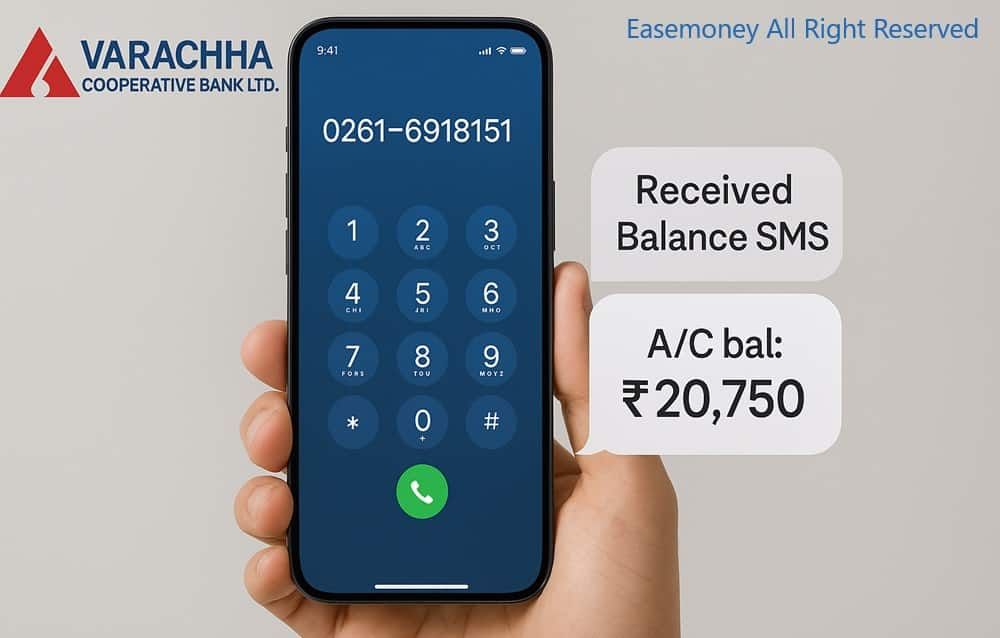
💡 Requirements: Your mobile number must be registered with the bank and should have an active recharge/SMS plan.
📌 Good to Know: Both services are free, available 24×7, and work without smartphone apps or internet banking. If SMS alerts are not working, update your mobile number through the branch.
Next: Explore mobile banking, UPI, and digital balance enquiry methods below.
1. Varachha Bank WhatsApp Banking
Varachha Bank also offers WhatsApp Banking, allowing customers to check balance, mini statement, and other services just by sending “Hi” on WhatsApp.
Since most people already use WhatsApp daily, checking your account balance has become much quicker and easier. Follow the steps below:
Steps to Use It:
- Save this number: 84601 84601 to your phone OR tap the Direct Varachha Bank WhatsApp Chat link
- Open WhatsApp and send “Hi”.
- Enter the OTP sent to your registered number.
- You will get two menus: Enquiry services and Operation services.
- Select Enquiry Services, and a new menu will appear. Now tap on Account balance.
- You will receive the last 4 digits of your account number, available balance, and withdrawal balance details.
Keep the VCB WhatsApp number on your phone, so you can check your balance. Just tap on the view balance button, even no OTP and password required for this method.
2. Varachha Bank Mobile Banking App
The bank has recently updated its mobile banking app, making it easier for customers to use. It now supports balance enquiry, mini statement, fund transfer, complaint registration, and more.
First-Time Registration Steps –
- Download VCB MobiPro from the Google Play Store.
- Enter your Customer ID, DOB, PAN number, and registered mobile number.
- Verify yourself using the OTP received on your phone.
- Create your username and login password.
Steps to Check VCB Balance
- Open the app and log in using username, password, and OTP.
- On the dashboard, tap the eye icon to view your account balance.
- You can also download the account statement instantly.
Tips
- First-time users can visit the branch for help and branch code details.
- The app also supports fingerprint login for easy access.
3. Passbook Printing Machine
- If online banking is not working, Try this:
- Use the Self Passbook Printing Machine available at the branch to print updated transactions and latest balance.
- If you face any technical issue, contact Varachha Bank customer support.
- Customer Care Details:
- Toll-Free Number: 1800 258 7750 (10 AM to 6 PM)
- Email: customercare@varachhabank.in
About Varachha Co-Op Bank & Its New Official Website
Varachha Co-operative Bank is a trusted local bank in Surat, Gujarat. People know it for simple, reliable service and support for the local community. Over the years, it has built strong trust among customers in Surat and nearby areas.
- Strong performance: Reported a net profit of around ₹77.19 crore (latest financial year)
- Wide reach: Serves lakhs of customers across Surat and other cities
- Modern + accessible: Offers digital banking features while supporting rural and semi-urban users
- Flexible access: Balance can be checked using both online and offline methods
Important Website Update for Customers
To improve security and follow RBI guidelines, the bank is updating its official website domain.
- Old website: varachhabank.com (will be discontinued)
- New official domain: varachha.bank.in
- Reason: RBI requires banks to use the secure .bank.in domain
- Benefit: Safer online and mobile banking experience
👉 Going forward, always use the new website for secure access to your banking services.
Frequently Asked Questions
My phone number is not linked. Can I use Varachha Bank’s missed call banking?
No, first visit your branch and register your mobile number with SMS alerts to activate the service. Also, provide your Email ID for the monthly e-statement directly.
Can I check the balance using Varachha Bank Net Banking?
Yes, you can, but you have to register first. Simply register using your customer ID and mobile number, and view your balance on the account summary page.
I didn’t receive SMS after missed call. What is the real reason?
Mostly SMS alerts are not activated. Branch staff say nearly 6 out of 10 cases need one-time SMS registration. Submit the form at branch; service usually works same day.
Is WhatsApp banking safe for checking balance in Varachha Bank?
Yes, for enquiry only. Save 84601 84601, send “Hi”, verify OTP once. Balance shows without entering PIN. Idea: avoid using WhatsApp on shared family phones.
Does the Varachha Bank mobile app show real-time balance?
Yes. VCB MobiPro app shows live balance after login. Branch experience says fingerprint login reduces OTP failures and saves time for daily balance checking.
Can senior citizens check their balance without a smartphone or SMS?
Yes. Use the ATM or the passbook printing machine at the branch. Many seniors prefer printed slips for records. ATM balance enquiry works even on holidays.
Whom should I contact if all balance enquiry methods fail?
Visit the branch first for the fastest resolution. You can also call 1800 258 7750 (10 AM–6 PM) or email customercare@varachha.bank.in
from your registered details.
Hope you liked the content. Explore smart options below 👇
🔥 Recommended