

CKYCRR stands for Central Know Your Customer Record Registry. It is a centralised database created by the Indian government, and it is managed by CERSAI (Central Registry of Securitisation Asset Reconstruction and Security Interest of India).
Every individual who submits their KYC documents to any bank or NBFC in india eventually generates automatically a 14-digit CKYC number and is sent to their registered mobile number only, which links their identity across all financial products.
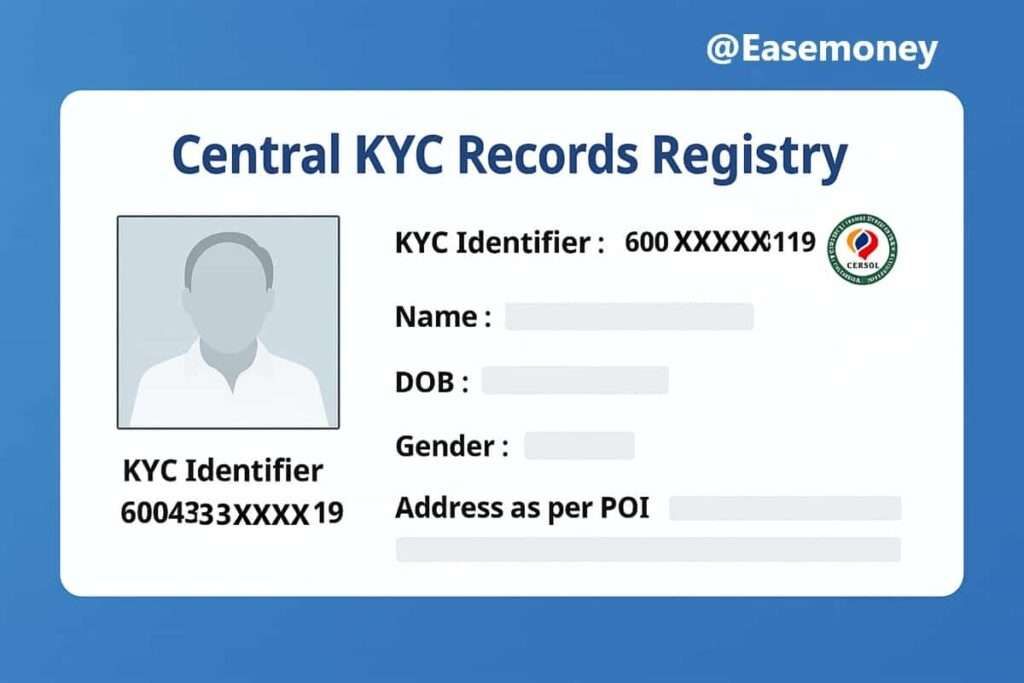
Its primary purpose is to store KYC documents and records in one place, making them available to banks and NBFI. It is like a large, secure vault where your identity and proof documents are kept safely. Once you’re in the system, you won’t have to provide the same documents again for every new bank account, loan, or investment you make.
CKYCRR helps banks, loan companies, and other companies access your KYC details quickly and securely.
Why Was CKYCRR Introduced in the First Place?
The main purpose of CKYCRR is to stop duplication of KYC, reduce fraud, and make banking smoother. Before this is introduced, you need to submit PAN, Aadhaar, address proof, and photos repeatedly whenever you open a new bank account, apply for a loan, apply for credit cards, or invest in mutual funds, which is time-consuming, inefficient, and often leads to mismatches.
It was designed to create one source of truth for KYC data, reduce duplication, and make customer onboarding seamless. It also improves compliance with RBI, SEBI, IRDAI, and PFRDA guidelines.
How Does a CKYCRR Fetch Notification Work?
When you apply for any banking product, during the process, you will receive an SMS alert from CERSAI, for example –
“Dear Anuj, your record bearing reference 30092342265819 was fetched by SBI Cards and Payment Services on 12/01/2024. – CERSAI”
What does it mean?
When a bank or financial company retrieves your record, due to transparency with customers, you will be notified first. They do not mean any fraud; instead, it means that the bank accessed your existing data available on CERSAI to complete the KYC process.
- The reference number is your unique CKYC ID.
- The institution or bank name indicates who accessed it.
- The date shows when it was fetched.
How to Register for CKYCRR for the First Time
You don’t need to apply separately for CKYCRR. Registration happens automatically when you complete KYC at any bank or NBFC Finance company.
- Submit KYC Documents: You have to provide your identity proof (Aadhaar, PAN, passport, etc.) when opening a bank account or applying for a credit card or loan.
- Institution Uploads Details: The Ban will upload your KYC details to the CKYCRR system.
- Get Your CKYC Number: After verification, you will be assigned a unique 14-digit CKYC number on your linked mobile number.
- Keep Your CKYC Number: Protect this number, as you will need it whenever you apply for new banking services.
Once registered, your KYC details are stored centrally, and any bank or loan company can access them with your CKYC number. Also, you can download the CKYC Card for future use.
Where to Download or Fetch Your CKYC Card Online
If you get this SMS and want your CKYC Card on your device, follow these simple steps –
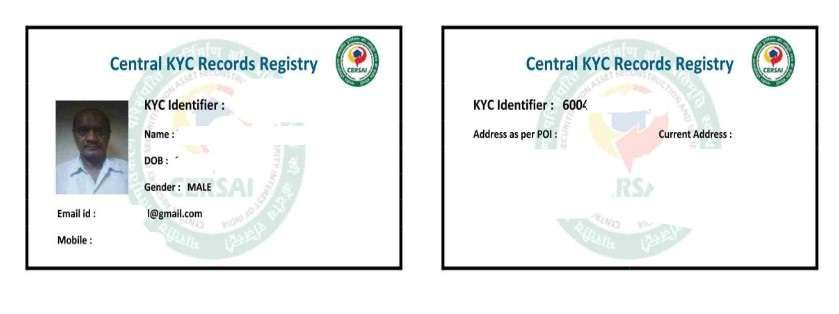
- To get your CKYC Card, you have to visit the official portal – CKYC India Portal by CERSAI.
- Now, in the header, tap on View my CKYC Card.
- Here, enter your registered mobile number, and fill out the captcha.
- You have to provide a 6-digit OTP to complete your identity process.
- If multiple CKYC Cards are linked to your mobile number, you must select your account and tap Submit.
- Your card download link will be sent to your mobile. Simply tap on the link and save it as a PDF on your phone.
- To unlock your PDF, you have to use your date of birth (DDMMYYYY) as your password pattern.
Which Documents Are Accepted in CKYCRR?
The CKYC registry supports all officially valid documents (OVDs):
- Aadhaar Card
- PAN Card
- Voter ID
- Passport
- Driving License
- NREGA Job Card
Additionally, photographs and proof of address are uploaded. Once verified, they become your permanent KYC profile.
When Do Banks And NBFCs Fetch CKYCRR Records?
Fetching happens during these events:
- Opening a new savings or current account
- Applying for a credit card
- Requesting a home loan, personal loan, or car loan
- Starting an insurance policy
- Investing in mutual funds or securities
- Activating Pay Later schemes such as Flipkart Pay Later by IDFC or Kotak.
Instead of submitting photocopies each time, the bank just pulls your record from CKYCRR.
Real Case: How CKYCR SMS appeared during my credit card applications
I first noticed CKYCRR when I applied for an SBI Prime Credit Card. Instead of asking me to resubmit my PAN and Aadhaar, SBI fetched my CKYCRR record directly. Later, while applying for a Yes Bank Business Credit Card, I received the same notification again, but this time, they said it was fetched by Yes Bank.
This shows how the Digital CKYC card functions across the banking ecosystem. Even though my old application was with SBI, the fetching was done through Yes Bank as a backend process for the Yes Bank application. Once the CKYCRR exists, every regulated financial entity can pull the same verified record. This saves effort, avoids duplication, and ensures all institutions rely on one verified profile.
When do customers get a CKYCRR number?
You receive a CKYCRR number after your KYC is uploaded by the first bank or NBFC. Usually, it is generated within 3–7 working days. Sometimes delays occur if the document verification takes longer or if there are mismatches in Aadhaar/PAN data.
Fresh FAQs
Can I have two CKYCRR numbers by mistake?
Yes, it’s possible, but only if banks uploaded your details separately with different documents. You can merge duplicates by requesting a correction through your primary bank.
What should I do if my CKYCRR shows an old address?
It happens most of the time. To update this, you have to check the last fetched bank by the CKYC india website and submit new address proof to your particular bank. They will re-upload documents and refresh your CKYCRR record with the latest information.
Is CKYCRR mandatory for all bank customers in India?
Yes, practically. Any bank, NBFC, insurer, or mutual fund house regulated by RBI, SEBI, IRDAI, or PFRDA must use CKYCRR for KYC after your first verified submission.
Does CKYCRR replace physical KYC completely?
Not fully. CKYCRR removes repeated document submission, but banks may still ask for live verification like OTP, selfie, or address confirmation for high-risk products such as loans above ₹10 lakh.
Can CKYCRR access happen without my consent?
No. Fetching happens only when you initiate an application. Each fetch triggers an SMS from CERSAI, acting as a transparency alert so customers can detect unauthorised access early.
What if my CKYCRR documents are outdated or incorrect?
Outdated records are common. Tip: Update KYC with the last bank that fetched your CKYC. They can refresh the address or photo, which updates the central record within 3–5 working days.
Is CKYCRR safe from data leaks?
CKYCRR is managed by CERSAI under government oversight. Banks only fetch, not store duplicates. Still, never share your 14-digit CKYC number on calls or unofficial websites.
Why do I get CKYCRR SMS even when I didn’t complete an application?
It usually means you reached the KYC stage, even if you abandoned it later. Many credit card apps trigger CKYCRR fetch during eligibility checks before final submission.
Should I download and keep my CKYC Card?
Absolutely. Keeping the CKYC PDF saves time during branch visits and offline processes. Tip: Store it securely and remember the DOB-based password for quick access when needed.