What is Axis Bank Credit Card Limit Increase?
Every Axis Bank credit card has a fixed credit limit. This is the maximum amount you can spend in one billing cycle. This is not fixed, but most entry-level users get a credit limit of around Rs. 20,000 from Axis Bank.
A limit increase simply means the bank raises that spending capacity — your card stays the same, only the borrowing power becomes higher. So you don’t get a new card, but you get a more usable limit and fewer payment declines when usage grows. In Axis Bank and major banks in India, do that, they first give a smaller limit and then increase it after calculating the full potential of the credit profile of the user.
1. When Axis Bank usually increases the limit
Axis Bank normally reviews your account automatically, but some conditions are almost always there:
- Card age: at least about 3–6 months old. Axis checks your timely payment history and utilization.
- Gap between increases: usually 6–12 months after last change
- Good repayment record: no late payments
- Better credit score: around 750+, CIBIL improves chances
- Income change: your salary hike or updated income proof helps
Sometimes you see a pre-approved limit enhancement inside the Axis app — that is the easiest approval because the bank already verified it internally.
Tip For You: As per their press release, Axis Bank often pushes pre-approved credit limit increase offers during festive periods, such as Diwali, Navratri, and New Year, under promotional campaigns (sometimes called Dil Se Open Celebrations). During this time, if your repayment record is good, the app suddenly shows a higher limit option without documents, and you can accept it instantly from the mobile app. One of our customers also got this benefit.
2. How Axis decides your limit (Eligibility Criteria)
The bank doesn’t give random limits. They calculate risk first.
Main factors they check:
- Income: commonly around 2–3× your monthly salary as a limit
- Credit score: higher score = higher trust
- Existing EMIs/loans: lower debt gives better limit
- Card category: Premium cards naturally get larger limits
- No recent changes: There should not be any limit increase/decrease or instant loan taken on the card in the last 6 months.
- Credit score: A CIBIL score around 750 or above is usually the safe range for automatic upgrades.
- Card status: Your card must stay active — not blocked, suspended, or currently over-limit.
- EMI usage: Try to end your ongoing EMIs or bill-to-EMI conversions on the Axis card. this heavy EMI load often stops limit enhancement approval by Axis Bank.
- Updated PAN: Your PAN details must be correctly updated in the bank’s records for find latest credit.
Example: if your salary is around ₹40,000 and stable credit history → expected limit is roughly ₹80,000–₹1,20,000 range (varies case to case and depend multiple factors).
3. What actually improves after a higher limit
- Big purchases become possible without splitting the payment
- Fewer declines at POS or online
- Credit utilisation percentage reduces (good for CIBIL)
Important point: your spending does not increase automatically, only your available cushion increases. Many people’s score improves simply because the utilisation ratio drops after the limit enhancement.
How to Increase Axis Credit Card Limit Using the Axis Mobile Banking App
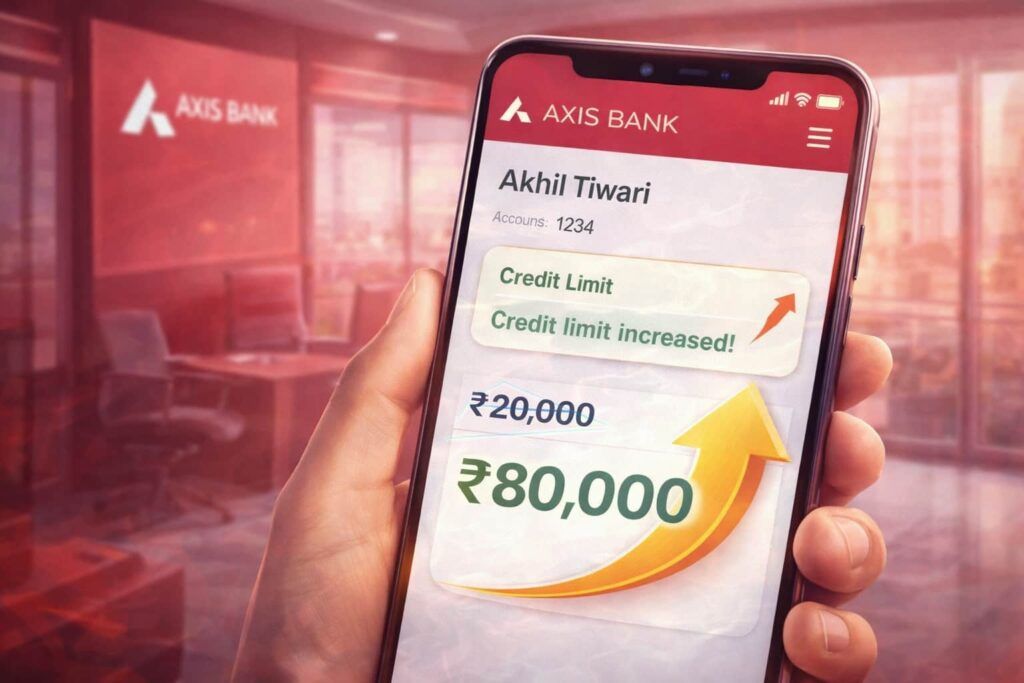
There are honestly two situations when Axis Bank improve limit easily –
- Instant approval (pre-approved offer, bank offer you)
- Manual request (you submit income proof)
If the bank already trusts your usage, it shows an offer inside the app. Many users miss the offer simply because they never check inside the app. Otherwise, you have to request a review.
Method 1 — Pre-approved offer (fastest and easiest)
If Axis already analyzed your payments and CIBIL, the offer quietly sits inside the app. You don’t get SMS sometimes, so you must check manually.
Step 1 — Open the Axis Mobile App = Log in normally using MPIN, fingerprint, or face unlock. (Important: use the same number linked to the card; your credit card section may not appear.)
Step 2 — Go to the Credit Card section = Tap Credit Cards on the home screen. You will see your card and available limit.
Step 3 — Open the menu properly = Now tap your profile icon (top corner). Then go to Services & Support. Many people stop here and think no option exists, but the next screen has it.
Step 4 — Check limit increase option = Tap Check for Limit Increase Button. If you have multiple cards, select your primary card (the main card in your name, not an add-on family card).
The system now checks your behaviour — payment record, utilisation, and score.
Step 5 — Offer appears = If eligible, the app shows: “Your new credit limit: ₹_____” You can compare old vs new limit.
Step 6 — Accept carefully = Read the terms → tap Accept → enter MPIN.
- What happens next = Usually instant update. Sometimes takes 24 hours. No documents required and no mobile OTP required.
- Another Tip For You – You can request limit increase Via SMS: You have to Text (
CLE <space> Last 4 digits of card) to send it to the number 5676782.
Method 2 — If the app says “Not eligible”
Okay — this is very common. It doesn’t mean rejection. It simply means Axis wants updated income proof. Now you manually trigger the review. these options you have –
- Email request (most effective) = Send a simple request mail with documents. just add your last 2 months salary slips (job) OR latest ITR (self-employed).
- Send this to official email to: creditcards@axisbank.com.
- In the mail, just write: “Requesting credit limit enhancement. My income has increased.”
- Usually a real officer reviews it, not only system scoring.
- Call customer care = You can call at Retail Phone Banking Numbers 1800-209-5577 OR 1800-103-5577.
- Tell clearly: “I want manual review for credit limit enhancement.”
- They open a service request ticket.
- You may receive a link to upload documents.
- AHA chatbot Website request (many people don’t know this, because Axis Aha launched recently June 2018) =
- Go to axisbank.com and tap on floating chatbot
- Accept terms
- Choose Credit Cards
- Select Credit Card Limit Enhancement
- Upload income proof.
What about Flipkart Axis Card Limit enhancement
The Flipkart Axis card follows the same process because it is issued by Axis Bank.
Important for You: Flipkart shopping alone does not increase limit. The bank still checks:
- repayment behaviour
- credit score
- payment discipline
Heavy spending without timely payment will not help. In simple, Flipkart or Amazon any brandh, the limit and internal banking matter hold bank only due to RBI compliance.
Axis Bank: Credit Limit Enhancement vs Credit Card Upgrade
Axis gives two different pre-approved offers inside the app. Many people think both are the same, but they solve two completely different needs.
- Limit Enhancement → more spending capacity
- Card Upgrade → better rewards and features
Main Difference
| Feature | Limit Enhancement | Credit Card Upgrade |
|---|---|---|
| Purpose | Increase how much you can spend | Change your card to a higher category |
| Card | Same card continues (Neo, Ace etc.) | New card type issued (Atlas, Select, Magnus etc.) |
| Annual Fee | Usually no change | Often higher annual/joining fee |
| Rewards | Same cashback/points continue | New reward structure and perks |
| CIBIL Impact | Improves utilisation ratio | No major utilisation change |
| Physical Card | No new card needed | New card delivered to you |
1. Pre-approved Limit Enhancement
This is simply a financial increase. Nothing else changes. Best when:
- your card often reaches the limit
- payments get declined
- you want better CIBIL utilisation
You keep the same card, same cashback, same annual fee — just more available limit.
2. Pre-approved Card Upgrade
This is a product change, not a borrowing change. such as Axis Neo Credit Card switch to Axis Atlas Credit Card. moves you to a higher tier card:
- better lounge access
- higher reward points
- dining/movie offers
But here is the important thing many customers misunderstand: Upgrade does NOT automatically mean limit increase. You may get a premium card, but your credit limit can remain exactly the same. So the bank upgrades benefits and annual fee — not necessarily your spending power.
Which one should you accept?
- Choose Limit Enhancement = if you like your current card but need more room for big purchases, sales, EMIs, or utilisation improvement.
- Choose Upgrade = if your lifestyle changed, such as your travel, flights, hotels, dining and you want better perks instead of simple cashback.
Expert Tip = Before accepting upgrade, check if it is Lifetime Free (LTF). If not, calculate whether lounge visits, rewards, or travel benefits actually justify the annual fee. Sometimes a higher card looks premium but costs more than the benefits you will use.
How RBI Rules works at Card Limit Increase —(India 2026)
Your card limit is not decided only by the bank. Axis Bank has to follow RBI Master Directions on Credit Cards, which mainly protect the customer from unwanted debt and surprise changes.
Here is what actually matters in real life:
1. Your approval is compulsory
Axis Bank cannot increase your limit automatically and start it on their own. Even if the bank selects you for upgrade, the new limit activates only after you approve it:
- OTP confirmation
- mobile app accept button
- written/email request
So if you ignore the offer message, the limit stays the same.
2. Bank cannot push you over the limit
As per latest RBI rules, Axis Bank: cannot allow over-limit spending and cannot charge overlimit fee. unless you enabled the overlimit facility yourself. And importantly, you must be able to switch this setting ON or OFF inside the Axis Mobile App anytime.
3. Limit is linked to your income
RBI doesn’t fix a hard number, but banks generally keep limit within a safe range so you don’t fall into debt.
Practically, Axis usually keeps it around 1.5× to 2× of monthly salary (sometimes higher for strong profiles). If your income increases and you update it, the bank can legally raise the limit.
4. Bank must inform every change
Axis must clearly notify you if:
- limit is increased
- limit is reduced
- card terms are changed
If your limit is decreased, they are expected to tell the reason (like low usage, risk review, missed payment, or credit report changes).
FAQs
Can the Flipkart Axis card limit increase automatically?
Yes, after about 3–6 months of full payments and good usage, Axis may show a pre-approved offer in the app. Many users get increases after CIBIL crosses roughly 750.
What eligibility improves approval chances?
Pay full bills on time, keep usage under 70%, avoid many EMIs, and maintain CIBIL above 750. Salary updates or a recent increment significantly improves enhancement approval probability.
Can I request Axis limit increase by SMS or email?
The SMS option is rare now. Emailing income proof to creditcards@axisbank.com or using the mobile app works faster. Customer care can also open a request ticket manually.
Is over-limit usage allowed under RBI rules?
RBI rules say banks cannot allow spending beyond your limit or charge a fee unless you opt-in first. If disabled, the transaction must decline without penalty.
What credit card limit can I get with ₹18,000 salary?
Typically banks offer about 2× monthly income. So ₹18,000 salary usually means roughly ₹30,000–₹50,000 limit, depending on CIBIL score, existing EMIs, and job stability. Higher score gives better approval.
How do I increase my Axis Bank credit card limit?
Open Axis Mobile App → Credit Cards → Services & Support → Check for limit increase. If pre-approved, accept via MPIN instantly. Otherwise email salary slips to creditcards@axisbank.com or call 1860-419-5555 for manual review.