If your HDFC credit card limit feels small or your transactions are starting to decline, you can ask the bank for a limit increase using the mobile app or the official online request form. After the recent HDFC banking interface update, the steps have slightly changed, but the process is still simple and can be done online without visiting any branch.
What is HDFC Credit Card Limit Increase (Limit Enhancement)
Every HDFC credit card has a fixed spending cap called the credit limit. It starts at Rs. 10,000 and goes to 10 lakh*(premium tier). A limit increase means the bank raises this allowed amount after checking your payment history, usage pattern, and credit profile. Your card does not change — only the usable spending capacity becomes higher.
This becomes useful when your credit utilization goes up; it helps to maintain it over time. HDFC calls it Limit Enhancement, and normally, there is no charge for it.
The increase can happen in two ways:
- Bank offer: HDFC itself shows a pre-approved upgrade based on your usage behaviour.
- Manual request: If no offer appears, you can apply and submit updated income details.
In 2026, many customers still need to request it manually, especially after a salary hike or improvement in credit score. So if you don’t see an automatic offer, it doesn’t mean rejection — it just means the bank wants updated financial information before raising the limit.
When HDFC Bank Gives a Pre-Approved Credit Limit Increase
HDFC doesn’t increase the limit randomly. The bank keeps observing your card behaviour for some time, and then, if things look comfortable, the offer quietly appears in the app or net banking. So if you don’t see it yet, it doesn’t mean rejection — it just means the system is still watching how you use the card.
Situations where you usually get the offer (Eligibility)
- Periodic review: Normally, after about 6–12 months of usage. Unlike new cards, older active cards are reviewed more seriously.
- Regular usage: If you actually use the card every month (around ₹8,000–₹12,000+ spend), the bank feels confident. But if the card mostly sits in the drawer, offers rarely come.
- Good repayment record: No late payment for about 12 months continuously helps a lot. Even one missed payment can delay it.
- Low utilisation: If you keep usage under roughly 30% of your limit, it shows control. Using 95% every month, even if you pay later, makes the bank cautious.
- Healthy credit score: Around 750+ CIBIL often triggers instant upgrades without documents.
If minimum due payments are frequent and multiple late payments happen, eligibility becomes weaker.
In simple terms, HDFC wants to see that you use the card, but you manage it properly. When the bank feels you won’t struggle to repay, the higher limit comes automatically.
How to Check Your Current HDFC Credit Card Limit
You can check both Total Limit and Available Limit yourself — you don’t have to call support. Just use any one of these methods, whichever feels easy.
1) HDFC MyCards WebApp (quick check) = Open mycards.hdfcbank.com on your phone, log in using OTP, then choose your credit card or enter the last 4 digits of your card. The limit dashboard appears immediately. Good option if you don’t want full NetBanking login. This is a web-app, only a 100KB download file.
2) HDFC NetBanking = You have to log in to NetBanking → go to Cards → Credit Cards → View Account Summary → select your card. Here you get complete details. Useful if you want to see statements and transactions also.
3) HDFC Mobile App (most convenient) = Login to the app using 4-digit MPIN → go to Pay OR Cards → tap your credit card. You will directly see total limit, available limit and outstanding balance on the screen.
So if you just want a quick check, MyCards works. But if you already use the app daily, the mobile app is the easiest.
How to increase HDFC Credit Card limit online using the New HDFC app
As per CNBC TV18 Media, HDFC Bank has moved its services to the new secure domain hdfc.bank.in and introduced an updated mobile banking app along with a refreshed internet banking interface.
After this change, checking and accepting a credit limit enhancement has become much simpler — you can now view and approve the offer directly inside the app or net banking, without needing to call customer care.
This is the part many people miss. HDFC usually does not call you — the offer quietly sits inside the app. You have to open the right screen to see it.
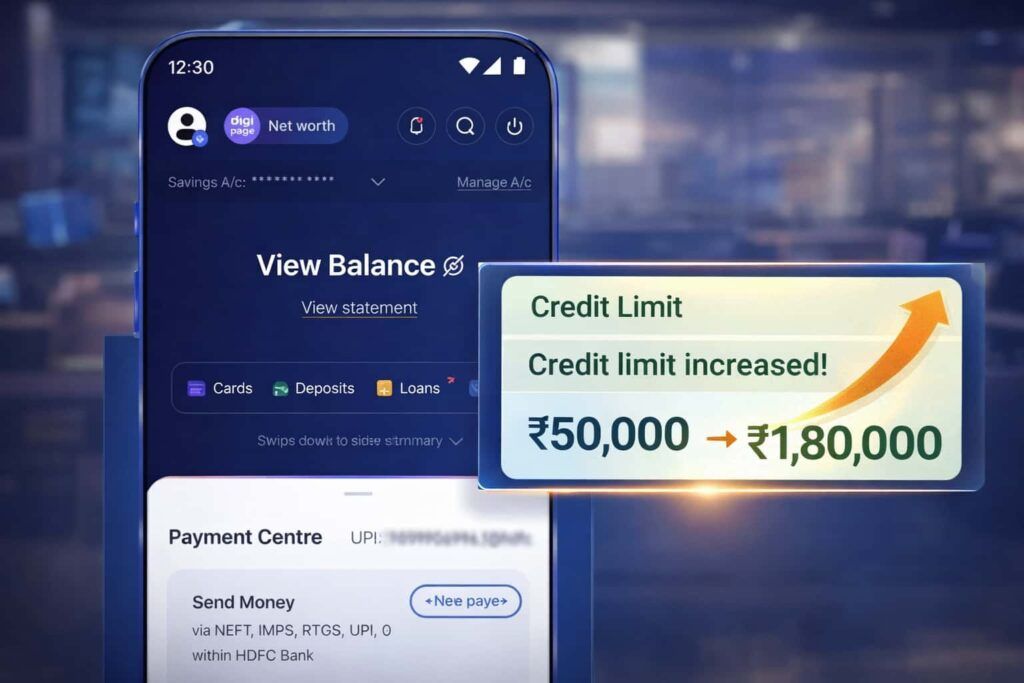
1. Step-by-step (new app interface)
Step 1 — Login properly = Open the HDFC Mobile Banking app and login using Customer ID + password or fingerprint. (If you log in with a different number profile, sometimes the card section won’t load.)
Step 2 — Go to Cards = On the home screen, tap Cards. You will see your credit card and available limit.
Step 3 — Open the card details = Tap your credit card once. Wait a few seconds — the system loads card controls (many people exit here thinking nothing is there).
Step 4 — Enter Manage Card = Scroll slightly and open Manage Card OR Card Controls. This is where HDFC hides the most important options.
Step 5 — Check the Increase Limit option = Tap the Increase Limit button.
- If eligible → new higher limit appears and you can change it.
- If not → the option may not show or say not available
Step 6 — Accept the offer = Review the new amount → confirm using OTP.
2. What happens after acceptance
Usually, the limit updates instantly. Sometimes it reflects within a few hours (rarely the next working day). No documents needed because the bank already pre-approved you.
HDFC Credit Card Limit Increase Form (without login)
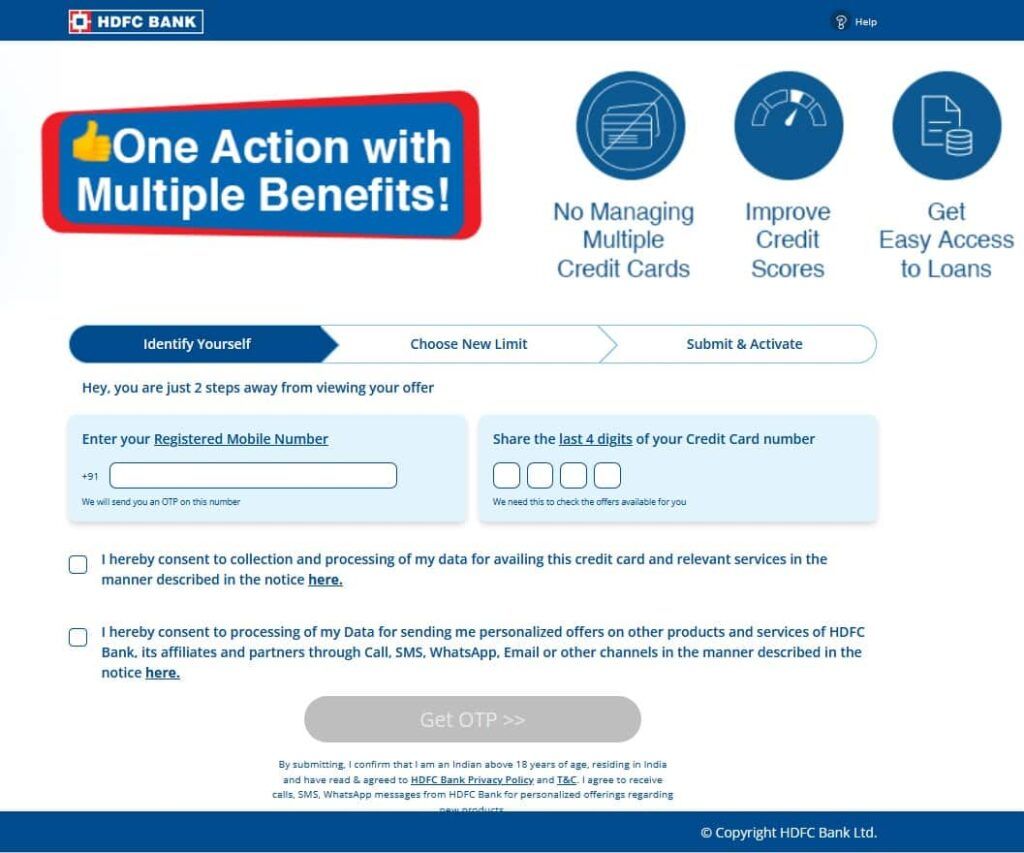
If you don’t want to open the app or net banking, you can still request a limit increase directly using the official online form. It works from any phone browser, no login and no need any downloads, simply your mobile number and OTP only.
Open this page: applyonline.hdfc.bank.in/credit-cards/credit-card-limit-enhancement-form.html
Step-by-step process
- 1. Mobile number verification = Enter your registered mobile number and the last 4 digits of your credit card. (Use the same number linked to the card, otherwise it won’t detect your profile.)
- 2. OTP verification = You receive an OTP via SMS. Enter it to confirm your identity.
- 3. Eligibility check = The system automatically checks your account history. If eligible, it shows the new offered credit limit right there.
- 4. Final confirmation = Accept the offer and verify again with OTP.
After this, the request is submitted.
What happens next = You usually get a confirmation SMS, and the new limit updates instantly or just within a few hours. If no offer appears, it simply means your account is not yet eligible — you can try again after some months of regular usage and timely payments.
Why HDFC does NOT increase your credit limit (even after 1–2 years)
This is very common. Many people pay on time, still the limit stays same and no pre-approved offer appears. It usually isn’t a mistake — the bank’s system simply feels either you don’t need more limit or you are risky. HDFC’s system works on risk vs requirement.
Below are the real reasons.
1. High Credit Utilisation (most common reason)
If you regularly use a big portion of your limit, the bank becomes cautious. Example: Your Limit ₹50,000 and every month you spend ₹40,000–₹45,000
Even if you pay fully, the system reads: this person depends heavily on credit. The bank prefers customers who can manage without the limit.
What to do: Keep usage below about 30% (₹15,000 on ₹50,000 limit) for 3–4 months. After that, offers often start appearing.
2. Your salary increased, butthe bank doesn’t know
HDFC still uses the income you gave during the application. So maybe:
- You now earn ₹45,000
- but bank still thinks ₹22,000
The system cannot justify ha igher limit.
Fix For You: Email the latest 2–3 salary slips or ITR. This alone sometimes triggers manual review. read below, how to increase manually –
3. The card is barely used
This sounds strange, but low usage also blocks an increase. If you spend only ₹2,000–₹3,000 monthly, the bank thinks: “Why give ₹2 lakh limit when customer doesn’t need it? Banks increase limit to active spenders, not inactive holders.
Fix: Use the card for normal things: groceries, fuel, and electricity bills. Not luxury — just consistent activity.
4. Too many loan/credit card applications
When you apply for loans or cards, your CIBIL shows hard inquiries. If 3–5 inquiries appear in 6 months, the system flags: customer is actively searching for credit. Then HDFC pauses any increase.
Fix: Stop applying for new loans/cards for about 6 months.
5. Your card type has reached its ceiling
Every HDFC card has an internal maximum range. For example:
- Entry cards (MoneyBack/Freedom) have a lower cap
- Premium cards allow higher limits
So sometimes the bank isn’t refusing — the card itself cannot go higher.
Real solution: Ask for a card upgrade first (like Regalia/Millennia). After the upgrade, limit increase becomes possible.
Quick Understanding
| Situation | What HDFC thinks | What you should do |
|---|---|---|
| Using 80–90% limit | You need credit badly | Reduce usage below 30% |
| Using 5% limit | You don’t need limit | Start regular spending |
| Old salary records | Low repayment ability | Send salary slips/ITR |
| Many loan inquiries | Risky borrower | Wait 6 months |
| Card stuck at cap | Card restriction | Request upgrade first |
Real tip: HDFC gives higher limits to people who use the card regularly but don’t depend on it. Use it, pay fully, keep balance low — after a few months, the offer usually appears without even asking.
How to manually request an HDFC credit card limit increase
If no pre-approved offer is showing, you have to ask the bank yourself. Usually, this happens when your salary increased but HDFC still has old records. The correct way is an email request with income proof.
1. Where to send the mail
Send from your registered email ID (very important).
- Primary: customerservices.cards@hdfcbank.com
- Escalation (if no reply): grievance.redressalcc@hdfcbank.com
- Priority desk (optional): priorityredressal.creditcards@hdfcbank.com
If you only call customer care, they normally just say “wait for the offer” Email works better because a real officer reviews it.
2. What documents must you attach
Attach clear scanned copies (self-attested / signed).
If salaried:
- last 3 months salary slips
- Form 16 (if available)
- company ID card (optional but helps)
If self-employed:
- latest ITR
- income computation sheet
These documents prove you can handle a higher limit.
3. Email subject line
Subject: Request for Credit Limit Enhancement – Card ending XXXX
Write a small and clear email to tell the bank to increase your limit. You can use AI chatbot for write up a small email.
4. What happens after sending
- Bank verifies documents
- They may call you for confirmation
- The decision usually comes in 5–10 working days
Sometimes they directly increase the limit, sometimes they offer a higher category card.
Extra tip (useful)
You can also use the offline form “Application for Credit Card Upgrade / Limit Enhancement.” Download, fill in your customer ID, employment details and salary/account information. If your income meets eligibility, the bank may approve a higher limit or even upgrade your card. Print and sign the form, then visit an HDFC branch and submit it with supporting income documents.
FAQs
Can I increase HDFC credit card limit online?
Yes. Open HDFC mobile app, go Cards → Manage Card → Increase Limit. If pre-approved, accept with OTP and limit updates same day. If no offer, send salary slips by email.
What eligibility is required for HDFC limit increase?
Usually 6–12 months card age, CIBIL about 750+, no late payments, and stable income. Keeping monthly usage around 20–40% gives the highest chance of automatic approval offers.
Can I request HDFC limit increase by SMS?
Yes, you can request an HDFC credit card limit increase via SMS by sending “CCACL” followed by the last four digits of your card number to 5676712 from your registered mobile number.
How much limit increase can I get?
Commonly, bank raises limit about 50%–200%, depending on income. Example: ₹60,000 limit may become ₹1.2–₹1.8 lakh if your salary and repayment record improved significantly.
Why HDFC not increasing my limit despite usage?
Either usage is too high (above 80%) or too low (below 10%). Bank prefers balanced activity. Keep spending moderate and pay full for 3 months, then offers usually appear.