

Example: If your name is Ravi Kumar and your DOB is 15 August 2000, enter RAVI1508. Alternatively, you can use your Customer ID (CIF) if this does not work.
Where to Find Your AU Bank Customer ID
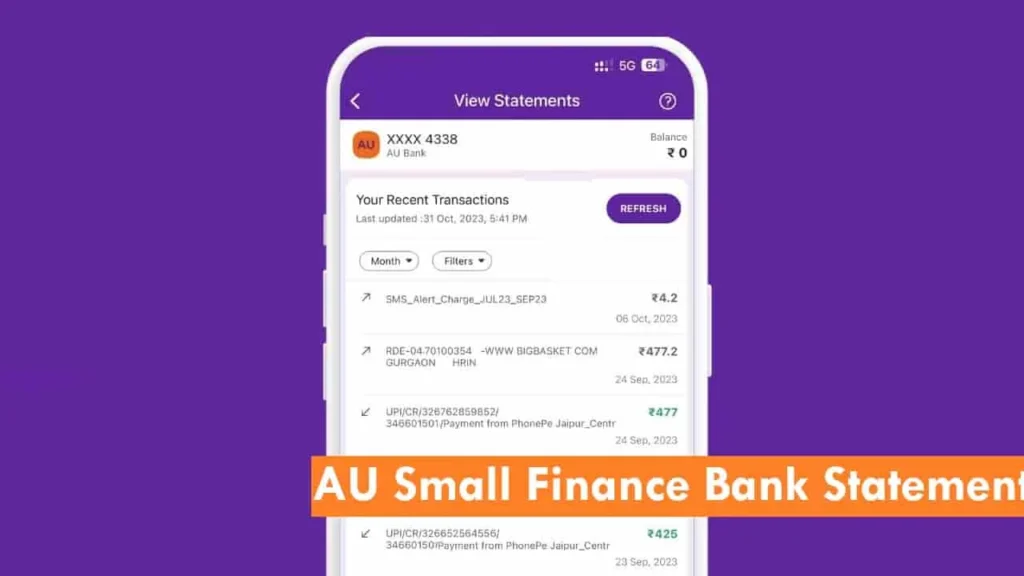
If you are having difficulty getting your AU Bank customer ID, you can check your passbook, your AU Bank mobile banking app profile section, your Cheque book, your welcome kit, and older bank statements.
Furthermore, you can visit your bank branch to get it quickly. You can use the AU bank branch locator to find a nearby branch.
Tip For You: Please read the full statement email received by AU Small Finance Bank. Usually, Bank provides the latest password format, examples, and instructions to unlock the attached PDF file. Still not opening. Please visit the official website of AU Bank.
Common Issues While Opening AU Statement PDF
After entering the password, if you still have any issues while accessing or downloading your statement, Here are some common issues and fixes: –
- Using the Wrong Keyboard or Autocorrect: Keyboard apps or autocorrect can change your input — enter the password manually and verify uppercase letters, numbers, and spaces carefully.
- Ignoring the Instructions in the Email: Many users skip reading the full email and directly try opening the PDF. Experts say, Please read the full email before downloading any file. The bank provides the latest information on it.
Get AU Bank Statement Without Opening PDF
If you want your statement at this moment for any reason without a password, like submitting to another bank or tracking transactions. Here’s what you can do:
- The A0101 app is available for both Android and iOS devices. Download it now.
- Log in to A0101 using MPIN.
First-time users: You need to register and provide a Customer ID, Debit card, Mobile OTP and other necessary details to generate an MPIN.
Registered Users: If you already have an MPIN, log in now using MPIN, Face ID, or fingerprint sensor. - Once you log in, on the dashboard of the app, navigate to My Accounts. If you have multiple accounts, select a specific account number and tap on the statement.
- In the statement section, you need to select a time, like the current month, last month, or 1 year.
Select transaction types. You can filter transactions by all, credit, or debit to narrow down your search. - After selecting the time and type, choose the File format: PDF, XLS, or CSV.
- All Set! Tap on the Get button to directly download the statement to your mobile phone’s downloads folder.
AU Bank PDF Statements – What They Are & How They Work
The Wikipedia page of AU Bank tells us that it is one of the fastest-growing small finance banks in India. AU Bank has built its reputation in Indian banking very quickly, of course, because of its customer-first approach.
To ensure the convenience of account holders, they offer digital statements.
An e-statement is simply a digital version of your bank account statement. AU Bank asks for your email ID when you open a bank account to send out your PDF statement every month.
They send you a fast PDF file instead of a paper copy. Unlike paper statements, it offers convenient, eco-friendly, and password-protected safety.
Reason Behind the AU Bank Statement PDF Password Protection
Digital problems need digital solutions! As per the database of the RBI website, the Reserve Bank of India recommends strict guidelines for banks. These rules and regulations provide security for sensitive customer information.
AU Bank takes data security seriously, following all RBI guidelines. That’s why your e-statements are password-protected, keeping your financial information secure from cybercrime. Furthermore, it provides benefits to you like privacy, Fraud Prevention, and an extra layer of safety.
Frequently Asked Questions
Can I change the default password format for my AU Bank e-statement?
No, AU Bank automatically sets the password format (either Name+DOB or Customer ID) for security reasons. You cannot customise it.
“How do I get an AU Bank statement urgently for a visa/loan application?
There are three ways –
1. ATM: Visit any AU Bank ATM → Insert card → Select “Mini Statement” or “Detailed Statement”.
2. Branch: Walk into your nearest branch with your Aadhaar & debit card for an instant printout.
3. AU mobile banking App: Use the A0101 app to download a 3-month statement in PDF/XLS within seconds.Are AU Bank e-statements legally valid for ITR or loan proofs?
Yes! AU e-statements are RBI-approved and accepted for ITR, loan applications, visa processing, and more. However, you can get a branch-stamped copy (may charge ₹50–100) for better assurance.
My Customer ID doesn’t work as a password in AU — what should I do?
1. Check you entered exactly 8 digits (no spaces or letters).
2. Log in to AU 0101 → Note down your correct Customer ID from profile or account info. If still wrong, call customer care or visit a branch for a re-send of the e-statement.What if I never received the e-statement in my email?
Ensure your email ID is registered with the bank; check spam/junk folder; or log in to AU 0101 → update email under profile → request statement delivery.
Does AU Bank use the same PDF password format every month?
Yes. AU Small Finance Bank follows a consistent password logic. Unless the bank upgrades its statement system, the same Name+DOB or CIF format works for all monthly PDFs.
Can AU Bank statement PDFs have different passwords for joint accounts?
No. AU generates one PDF and one password per account, not per holder. Any joint holder can open the statement using the same password shared in the email.
Why does AU Bank sometimes reject Name+DOB but accept Customer ID?
This happens when name spelling or DOB mismatches exist in bank records. CIF-based passwords bypass such errors, which is why branches recommend Customer ID if Name+DOB fails.
Can AU Bank resend a statement with a new password on request?
No. AU does not regenerate passwords manually. They can resend the same statement only. If it won’t open, you must correct CIF/DOB details first.
Hope you liked the content. Explore smart options below 👇
🔥 Recommended